
Bushnell Updates
Example: https://www.lyonauction.com/2023-bushnell-10-day-auction
The large auction page is controlled by a custom auction page we created for the 9/10-day auction each year and also creates a custom homepage button.
The easiest method is to duplicate the last years then udpate the content fields. The brochure is controlled by a flipbook widget that pulls from an uploaded file using the File Manager.
1. Upload the new PDF to the file manager intot he "Content" file directory
2. Hover over the file name and look at your browser status bar to find the FILE ID.
3. Update the file path to point to the ID of the newly updated file.
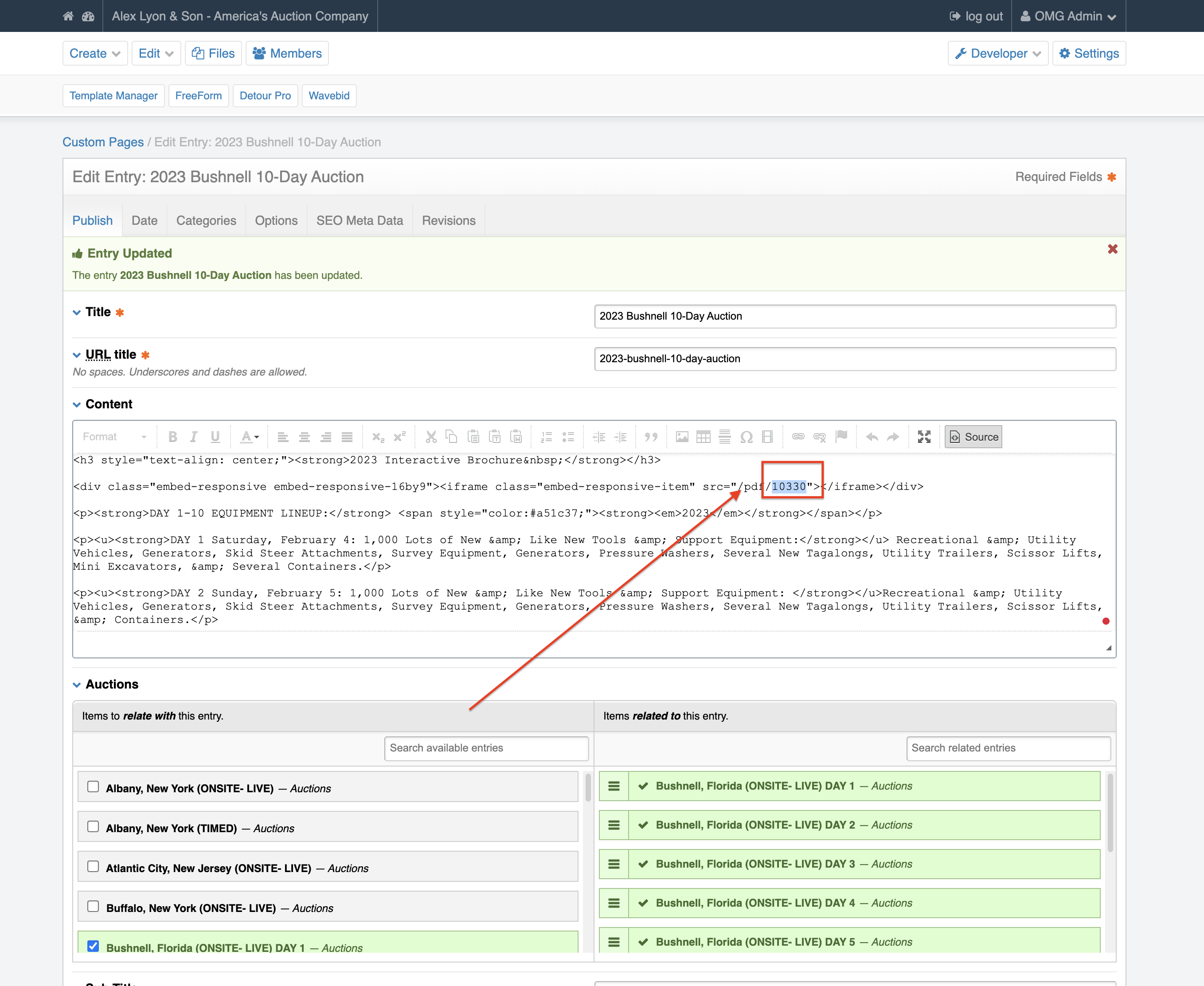
4. Save your page and then view your entry, you'll now see the document loaded into the FlipBook
