
 https://www.omahamediagroup.com/images/uploads/monster_gallery/Omaha-Media-Group-Black.jpg
admin
https://www.omahamediagroup.com/images/uploads/monster_gallery/Omaha-Media-Group-Black.jpg
admin
What Is a Web Application? A 2026 Business Guide

TL;DR:
- Web applications are interactive programs accessed through a browser, enabling real-time data processing and personalized results. They differ from static websites by processing user input and storing data, making them essential for automating workflows and scaling businesses. Building them requires careful planning of architecture, security, and integration to ensure they operate reliably and drive revenue growth.
A web application is interactive software that runs inside a web browser and is delivered over the internet, requiring no installation on the user’s device. Unlike a static webpage, a web app processes user input, stores data, and returns dynamic results in real time. Gmail, Google Docs, Shopify, and Canva are all web applications. The global web application market is valued at over $82 billion as of 2026. That number reflects how deeply web apps have become core business infrastructure, not optional technology.
What is a web application vs. a website?
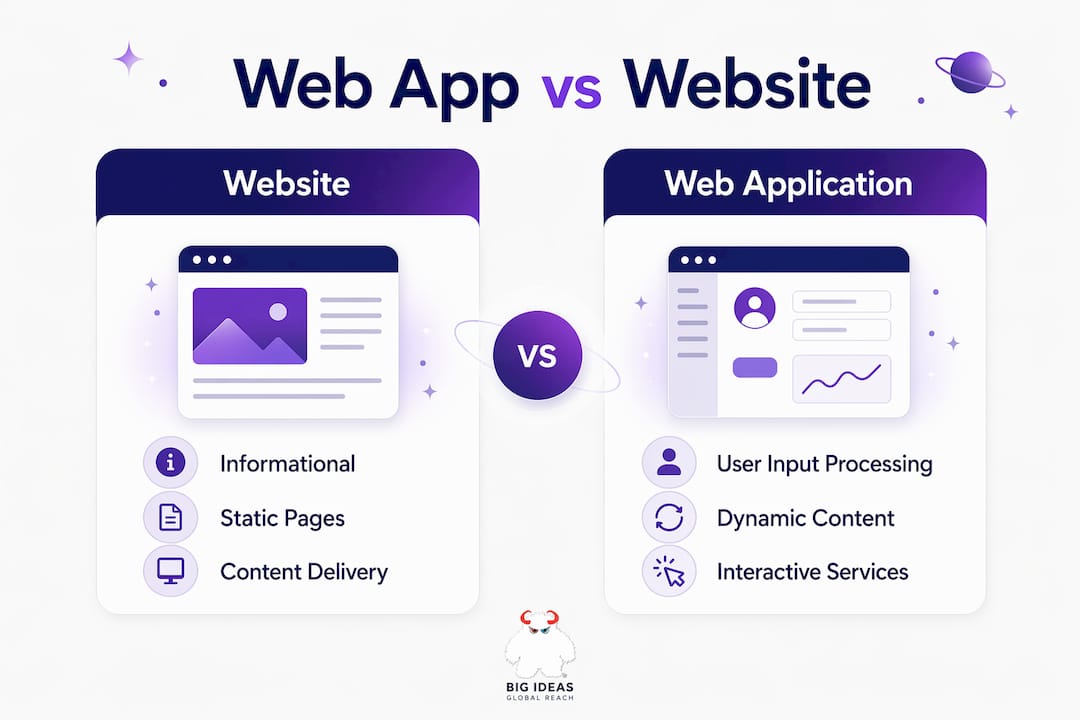
The distinction between a web application and a website is functional, not cosmetic. A website is primarily informational. It delivers static or read-only content to a visitor. A web application, by contrast, processes user data and returns dynamic, personalized results based on that input.
Think of a company’s “About Us” page versus its customer portal. The first is a website. The second is a web application. The portal authenticates users, stores account data, and responds differently to each person who logs in. That gap in functionality is what separates the two.
Here is a direct comparison:
| Feature | Website | Web Application |
|---|---|---|
| Primary purpose | Deliver information | Process user input and return results |
| Content type | Static or semi-static | Dynamic, personalized per user |
| User authentication | Rarely required | Standard feature |
| Real-time interaction | Minimal | Core functionality |
| Data storage | None or minimal | Database-driven |
| Examples | Blog, brochure site | Gmail, Shopify, Google Docs |
This distinction matters for entrepreneurs making build decisions. If your goal is to publish content, a website works. If your goal is to automate workflows, capture leads, process transactions, or serve personalized experiences, you need a web application. Choosing the wrong tool means building infrastructure that cannot scale with your business.
How do web applications work at a technical level?
A web application delivers its interface through a browser, but the real work happens on a server. When a user submits a form or clicks a button, the browser sends a request over HTTP or HTTPS to an application server. The server runs the business logic, queries a database, and sends a response back to the browser.
Multi-tier client-server architectures are the standard model for web apps. The three tiers are the presentation layer (what the user sees), the application layer (business logic), and the data layer (database). Each tier can scale independently, which is why web apps handle millions of users without requiring every user to install software.
Modern web apps often use one of these architectural patterns:
- Single-Page Applications (SPAs): The browser loads one HTML page and updates content dynamically using JavaScript frameworks like React or Vue.js. This creates a fast, app-like experience without full page reloads.
- Server-Side Rendering (SSR): The server generates the full HTML for each request. Frameworks like Next.js use SSR to improve load speed and search engine indexing.
- Multi-Page Applications (MPAs): Each user action loads a new page from the server. Traditional e-commerce sites often use this model.
Performance directly affects revenue. SSR frameworks like Next.js improve Google’s Core Web Vitals scores, which influence both user engagement and search rankings. A one-second delay in page load time measurably reduces conversion rates. Architecture is not a back-end concern. It is a revenue concern.
Pro Tip: If you are building a customer-facing web app, choose SSR or a hybrid rendering approach from day one. Retrofitting performance into a poorly architected SPA costs far more than building it right initially.
What are the benefits of web applications for businesses?
Web applications reduce costs, increase reach, and create operational leverage that desktop software cannot match. The core advantages are structural, not incremental.

1. No installation required. Users access the app through any browser on any device. This eliminates compatibility issues, IT deployment costs, and version fragmentation across a workforce.
2. Centralized updates. Server-side updates mean every user gets the latest version automatically. There is no patching individual machines or managing rollout schedules.
3. Cross-platform accessibility. A single web app works on Windows, macOS, iOS, and Android. Development costs are lower than building separate native apps for each platform because one codebase serves all devices.
4. Cloud scalability. Web apps built on cloud infrastructure scale up during traffic spikes and scale down during quiet periods. You pay for what you use, not for peak capacity you rarely need.
5. Workflow automation. Web apps integrate with APIs, CRMs, payment processors, and marketing automation platforms to automate repetitive tasks. That automation converts time spent on manual work into capacity for revenue-generating activity.
6. Revenue protection. A well-built web app captures leads, processes transactions, and retains customers without requiring human intervention at every step. That is the difference between a business that scales and one that stalls.
Pro Tip: Before building a web app, map every manual process it will replace. Each automated step is a measurable cost reduction. Document that baseline so you can quantify ROI after launch.
How to create a web application: a practical framework
Building a web application follows a predictable sequence. Skipping steps in this sequence is the primary reason web app projects fail or require expensive rebuilds.
- Define the problem first. Identify the specific workflow, transaction, or user need the app will address. Vague requirements produce vague software. Write down exactly what the app must do before writing a single line of code.
- Choose your architecture early. Decide between SPA, SSR, or MPA based on your performance and SEO requirements. Security and architecture decisions made at the start determine whether the app scales or collapses under real-world load.
- Select a technology stack. For most business web apps in 2026, React or Next.js on the front end paired with Node.js, Python, or Ruby on Rails on the back end covers the majority of use cases. Choose based on your team’s skills and your app’s performance requirements.
- Plan for data persistence and concurrency. Failing to account for concurrent users and data integrity from the outset causes scaling failures that are expensive to fix post-launch. Design your database schema before you build your UI.
- Build security in from day one. User authentication, session management, input validation, and encrypted data storage are not features to add later. They are foundational requirements.
- Deploy on scalable infrastructure. AWS, Google Cloud, and Microsoft Azure all offer managed services that handle server provisioning, load balancing, and backups. Use them instead of managing bare-metal servers.
- Integrate with your marketing and sales systems. A web app that does not connect to your CRM, email platform, or digital marketing infrastructure is an island. Integration turns your app into a revenue system.
For entrepreneurs who want to build without heavy coding, platforms like Bubble, Webflow, and Retool offer no-code and low-code environments. These tools work well for internal tools and MVPs. They have limits when you need custom performance optimization or complex business logic at scale.
Key takeaways
A web application is the operational backbone of any modern business that needs to automate workflows, serve customers, and scale without adding headcount.
| Point | Details |
|---|---|
| Web app vs. website | Web apps process user data and return dynamic results; websites deliver static information. |
| Architecture drives revenue | SSR frameworks like Next.js improve Core Web Vitals, directly affecting conversions and search rankings. |
| Cost advantage is structural | One codebase serves all devices, and server-side updates eliminate per-device maintenance costs. |
| Security must come first | Data persistence, concurrency, and authentication designed at the start prevent costly rebuilds later. |
| Integration creates leverage | Web apps connected to CRM, marketing automation, and payment systems become self-running revenue systems. |
Why most businesses get web applications wrong
I have worked on web application projects across industries, and the pattern of failure is almost always the same. The client focuses on the interface and ignores the architecture. They want it to look good before they decide how it should work. That sequence produces apps that look polished in demos and fall apart under real user load.
The second mistake is treating security as a phase two concern. User session management and data encryption are not features you bolt on after launch. They are structural. Every week you delay addressing them is a week your users’ data is at risk and your business is exposed to liability.
The third mistake is building in isolation. A web app that does not connect to your marketing automation stack, your analytics, and your sales pipeline is just software. A web app that feeds data into every part of your revenue system is infrastructure. The difference between those two outcomes is decided in the planning phase, not the development phase.
My honest advice: treat your web application like a revenue system from the first conversation. Define what it captures, what it automates, and what it reports. If you cannot answer those three questions before development starts, you are not ready to build.
— Vector
Build a web application that works as hard as you do

Most web applications are built to launch. The ones that produce real business outcomes are built to operate. Monstrousmediagroup designs and develops custom web applications that integrate with your marketing, sales, and operational systems from day one. Every project starts with architecture, security, and revenue logic, not just wireframes. Monstrousmediagroup also provides SEO services to make sure your web app gets found, indexed, and ranked. If you are ready to build a system that captures leads, automates workflows, and protects revenue, Monstrousmediagroup is the team to call.
FAQ
What is a web application in simple terms?
A web application is interactive software you access through a browser without installing anything on your device. Gmail, Shopify, and Google Docs are all web applications.
How does a web application differ from a website?
A website delivers static information. A web application processes user input, stores data, and returns dynamic, personalized results based on what the user does.
What are the main benefits of web applications for businesses?
Web applications reduce costs through centralized updates, scale through cloud infrastructure, and automate workflows that would otherwise require manual labor. They serve all devices from a single codebase.
What do i need to build a web application?
You need a defined problem, a chosen architecture, a technology stack, a database plan, and security built in from the start. Platforms like Bubble or Webflow work for simple apps; complex systems require custom development.
Why does web application performance matter for revenue?
Slow web apps lose users and rank lower in search results. Frameworks like Next.js use server-side rendering to improve Google’s Core Web Vitals scores, which directly affects both user retention and organic traffic.
Recommended
Hire the team to help you with your website, app, or other marketing needs.
We have a team of digital marketers who can help plan and bring to life all your digital marketing strategies. They can help with social media marketing, email marketing, and digital advertising!
CONTACT US
Comments